
A free Discord logging bot for 59 events
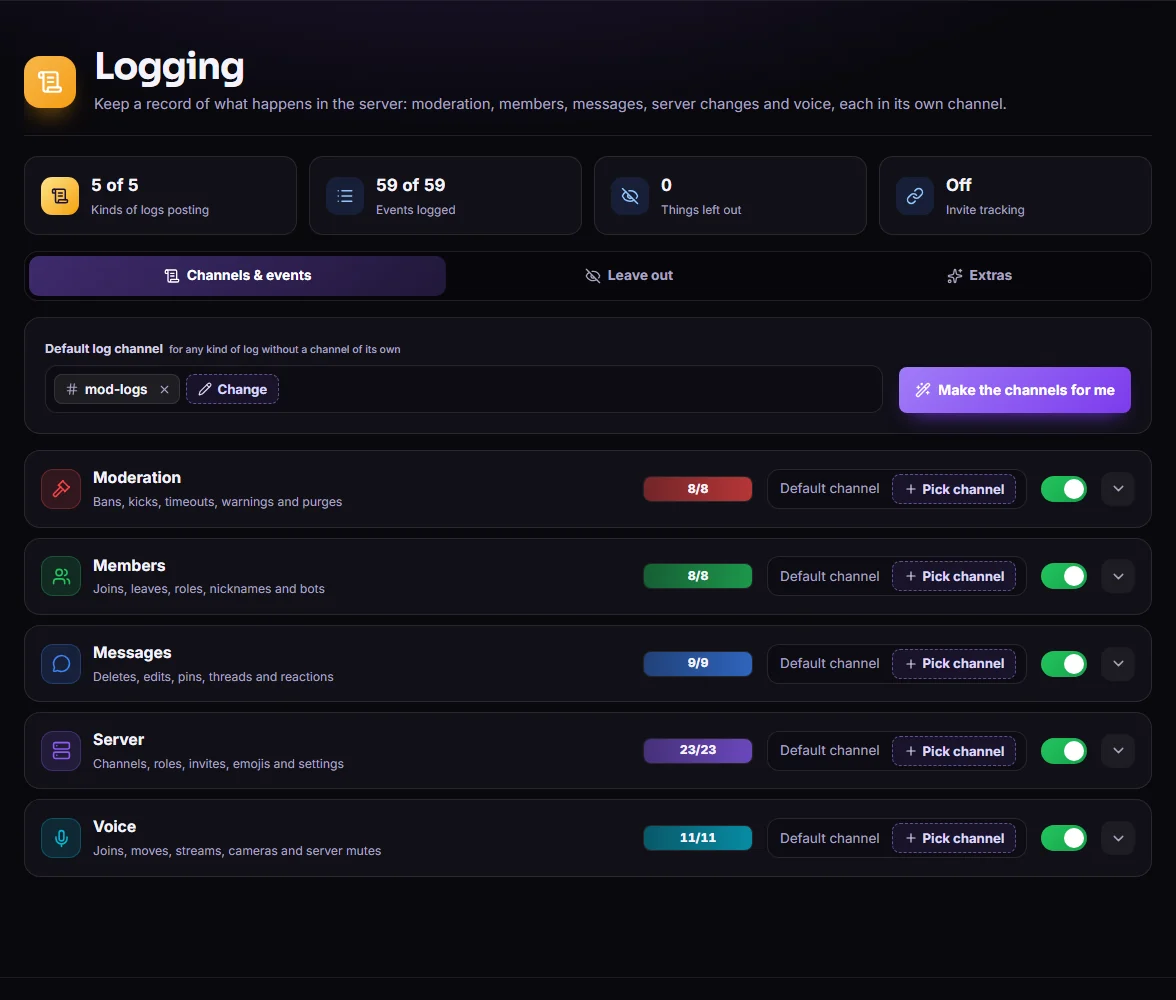
Ethvex writes down what happens in your Discord server: deleted and edited messages, joins and leaves, bans, role and channel changes, voice activity and more. 59 events in 5 categories, all free.
Moderation
Bans, kicks, timeouts, warnings and purges, with who did it.
Members
Joins, leaves, nicknames, roles, avatars and added bots.
Messages
Deleted, edited and bulk deleted messages, pins and threads.
Server
Channels, roles, webhooks, invites, emojis and settings.
Voice
Joins, moves, streams, cameras, mutes and deafens.
Invite tracking
Which invite each new member used.
How to set up server logs #
Open Logging
On the dashboard, pick one channel for everything or press Make the channels for me for a channel per category.
Switch on what you need
Each category and each event has its own switch.
Leave things out
Skip bots, channels, roles or members, like your staff chat.
Keep it private
Only let staff see the log channels, because deleted messages are shown there.
Why not just the Discord audit log? #
Discord's audit log doesn't show deleted message text, edits, voice activity or who joined with which invite, and it only goes back 45 days. A log channel keeps all of that, is searchable and is easy for the whole staff team to read.
Free and Pro #
Everything: all 5 categories and 59 events, ignore lists, short lines and invite tracking
Same full system. Logging is free on every server
See the full list in the log events reference.
Frequently asked questions
How can I see deleted messages on Discord?
Turn on message logs in Ethvex. From then on, every deleted or edited message is written to your log channel. Discord itself keeps nothing that could be shown later.
Is the Ethvex logging system free?
Yes. All 5 categories, all 59 events, ignore lists, short lines and invite tracking are free on every server.
How long does the Discord audit log keep entries?
Discord keeps audit log entries for 45 days. A log channel keeps them for as long as you keep the channel.