
A free Discord welcome bot with picture cards
Ethvex greets every new member with a message you design yourself, a picture card with their avatar, buttons to your rules and roles, and a DM if you like. Leave messages and invite tracking are included, all free.
Picture cards
A card made fresh for each member, with their avatar and name.
Any design
A container, a classic embed or plain text, edited right in the preview.
Leave messages
Say goodbye too, and skip members who were kicked or banned.
Welcome DM
Send new members a private message with the important links.
Invite tracking
See which invite each member used.
Auto delete
Remove welcomes after a while to keep the channel clean.
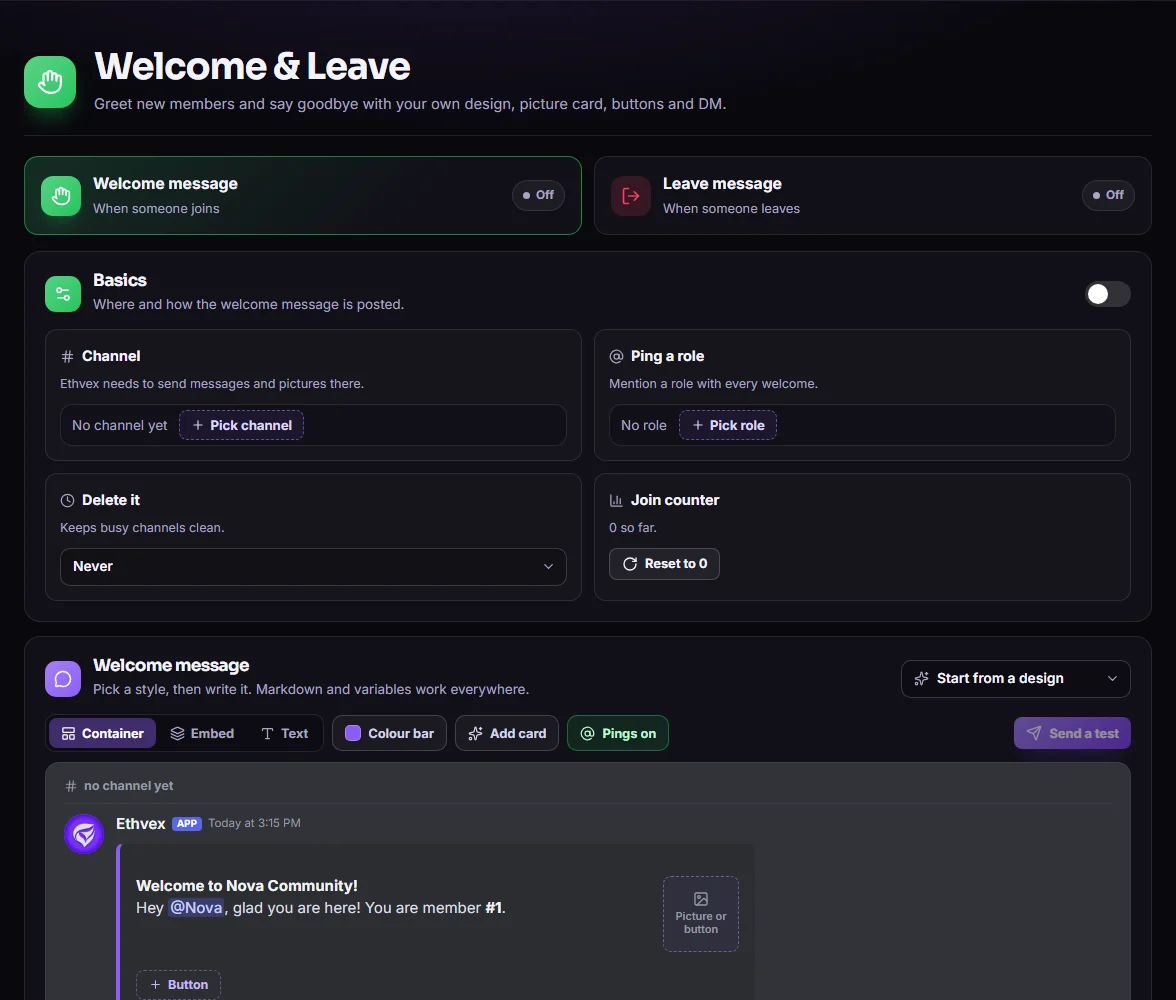
How to set up welcome and farewell messages #
Open Welcome & Leave
Log in to the dashboard, pick your server and open Welcome & Leave.
Pick the channels
One for welcomes and, if you like, another for goodbyes.
Design the message
Click any part of the preview to change it. Add variables like {user}, {server} and {join_num}.
Send a test and switch it on
The test posts the real message with you as the member.
The card designer #
Drag text, shapes, pictures and the member's avatar where you want them, pick a background and one of seven fonts, or start from a ready made design. Names in other alphabets are drawn properly too.
What is free #
Everything. Cards, buttons, DMs, leave messages and invite tracking work on every server without Pro.
Everything: leave messages, picture cards, buttons, DMs and invite tracking
Same full system. Welcome is free on every server
What to write #
Use the member's name, keep it to two or three lines and give one clear next step, like picking roles. Our list of welcome message examples has lines you can copy for gaming, study, anime, business and community servers.
Frequently asked questions
How do I make a welcome message on Discord?
Add Ethvex, open Welcome & Leave on the dashboard, pick a channel, design the message and switch it on. It is free.
Can a Discord bot send a welcome image?
Yes. Ethvex makes a picture card for every new member with their avatar and name, and you design how it looks.
Can I send a DM to new members?
Yes. Turn on the welcome DM and design it the same way as the channel message.