
A free auto role bot for Discord
Ethvex gives new members their roles the moment they join, with separate roles for people and bots. It can also wait for onboarding, take roles away again later, give them back on rejoin and set nicknames.
Join roles
One list for people and another for bots.
Timed roles
A New Member role for the first week, then it goes away.
Back on rejoin
Members who return within 90 days get their roles back.
Auto nickname
Set a nickname template for new members.
Role All
Give or take a role for every member who matches your filters.
Voice roles
A role while someone is in a voice channel.
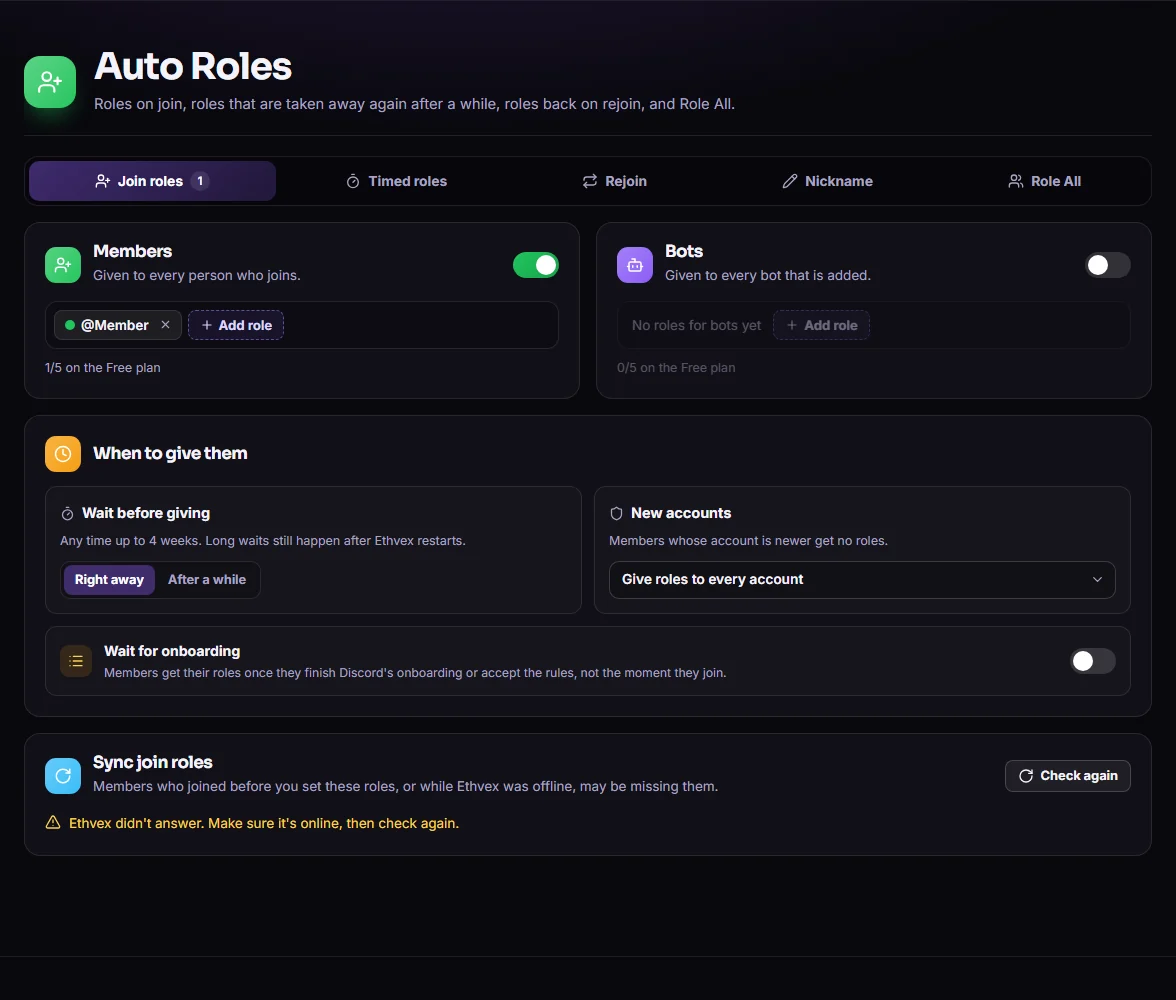
How to set up an auto role on Discord #
Add Ethvex and move its role up
A bot can only give roles below its own. This is the number one reason auto roles don't work.
Open Auto Roles
On the dashboard, pick the roles for new members, and for bots if you want.
Choose when
Right away, after a delay, or once the member finished onboarding or accepted the rules.
Sync older members
Sync now gives the roles to members who joined before you set it up.
Give a role to everyone #
For members who are already in your server, use Role All. Pick the role, choose people, bots or a filter like joined before a date, see how many members match, and start. It keeps going even if the bot restarts.
Free and Pro #
5 member roles and 5 bot roles, 2 timed roles, roles back on rejoin and auto nickname
Unlimited roles and up to 15 timed roles
Frequently asked questions
How do I auto assign a role when someone joins Discord?
Add a bot such as Ethvex, open Auto Roles, pick the role under Join roles and switch it on. Make sure the bot's role is above that role.
Why is my autorole bot not giving the role?
Its role is below the role it should give, it is missing Manage Roles, or the role is managed by another bot. Move the bot's role higher in Server Settings, then Roles.
Can I give bots a different role?
Yes. Ethvex keeps separate lists for people and bots, each with its own switch.