
A Join to Create bot for temporary voice channels
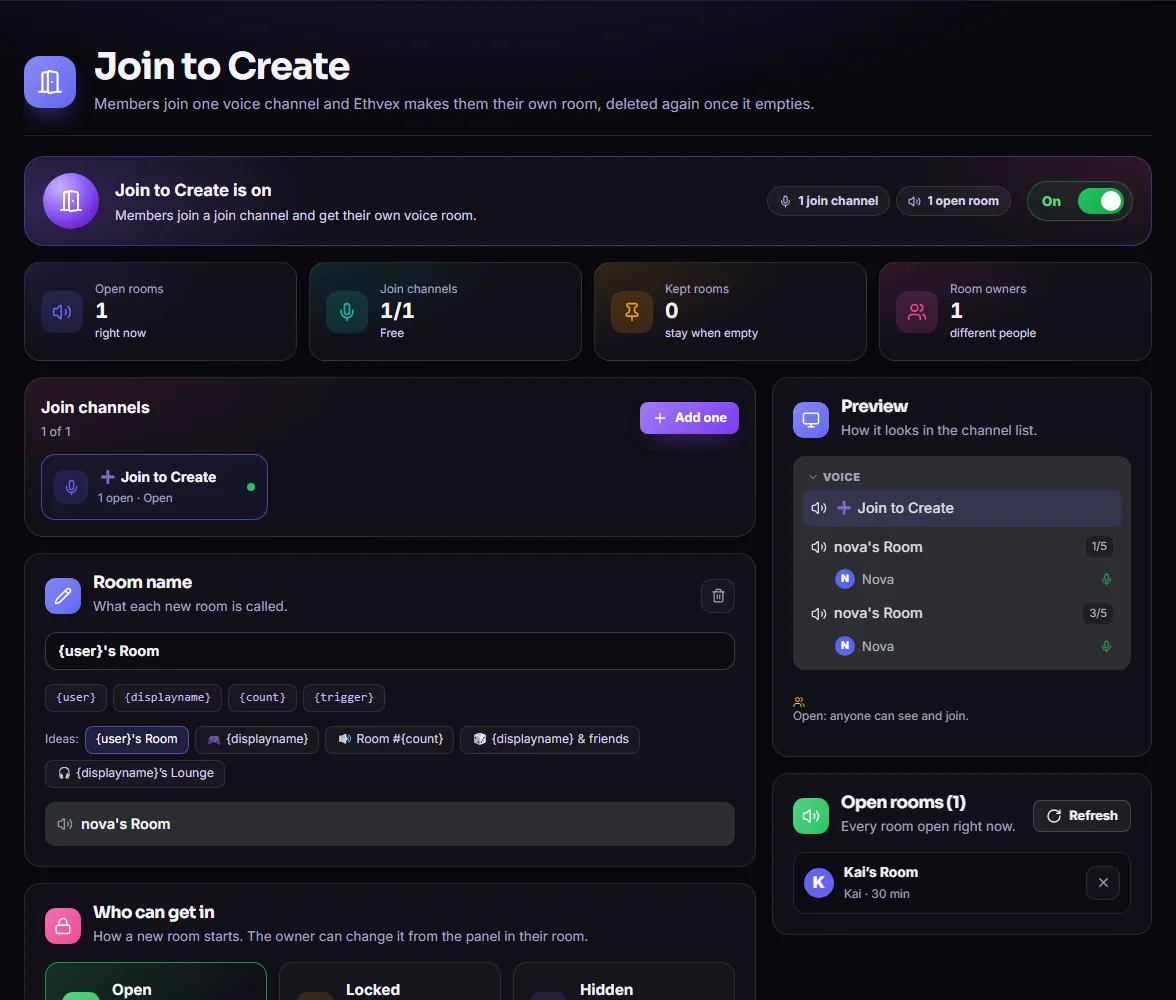
With Join to Create, members join one voice channel and Ethvex makes them their own room. They can rename it, lock it, hide it or limit it, and it is deleted when everyone has left.
One click rooms
Join the channel, get a room. No commands to learn.
Room panel
Owners lock, rename, resize or hand over their room from its chat.
Open, locked or hidden
Choose who can see and join new rooms.
Room names
Names with variables, like the member's name.
Limits
User limits, sound quality, waits and rooms per member.
Open rooms
See every room that is open now, and close any of them.
How to set up Join to Create #
Add a join channel
Open Join to Create on the dashboard and press Add one. Ethvex can make the channel for you.
Name the rooms
Use {displayname} for names like "Luna's room".
Choose who gets in
Open, locked (only invited people) or hidden.
Turn it on
Members can use it right away.
Ethvex needs Manage Channels and Move Members.
Why use temporary rooms #
Fixed voice channels are either too few when it is busy or a long empty list when it is not. Temporary rooms appear when they are needed and disappear after. Members also get control: they decide who joins, without asking staff.
Free and Pro #
1 join channel with room names, privacy, limits and open rooms
Up to 25 join channels
Frequently asked questions
What is a Join to Create bot?
A bot that makes a temporary voice channel for whoever joins a certain channel, moves them in, and deletes it when everyone has left.
Is there a free temp voice bot?
Yes. Ethvex includes one join channel with every setting on the free plan. Pro has up to 25.