 Ethvex
Levels
XP from chatting, voice and reactions, level-up cards, role rewards, a rank card, a designed leaderboard and weekly highlights.
% Aliases: %level, %lvl 5s cooldownUsage #
/rankPermissions #
You need
Ethvex needs
Cooldown
Open your server on the dashboard, then Community → Levels in the menu. Where everything is.
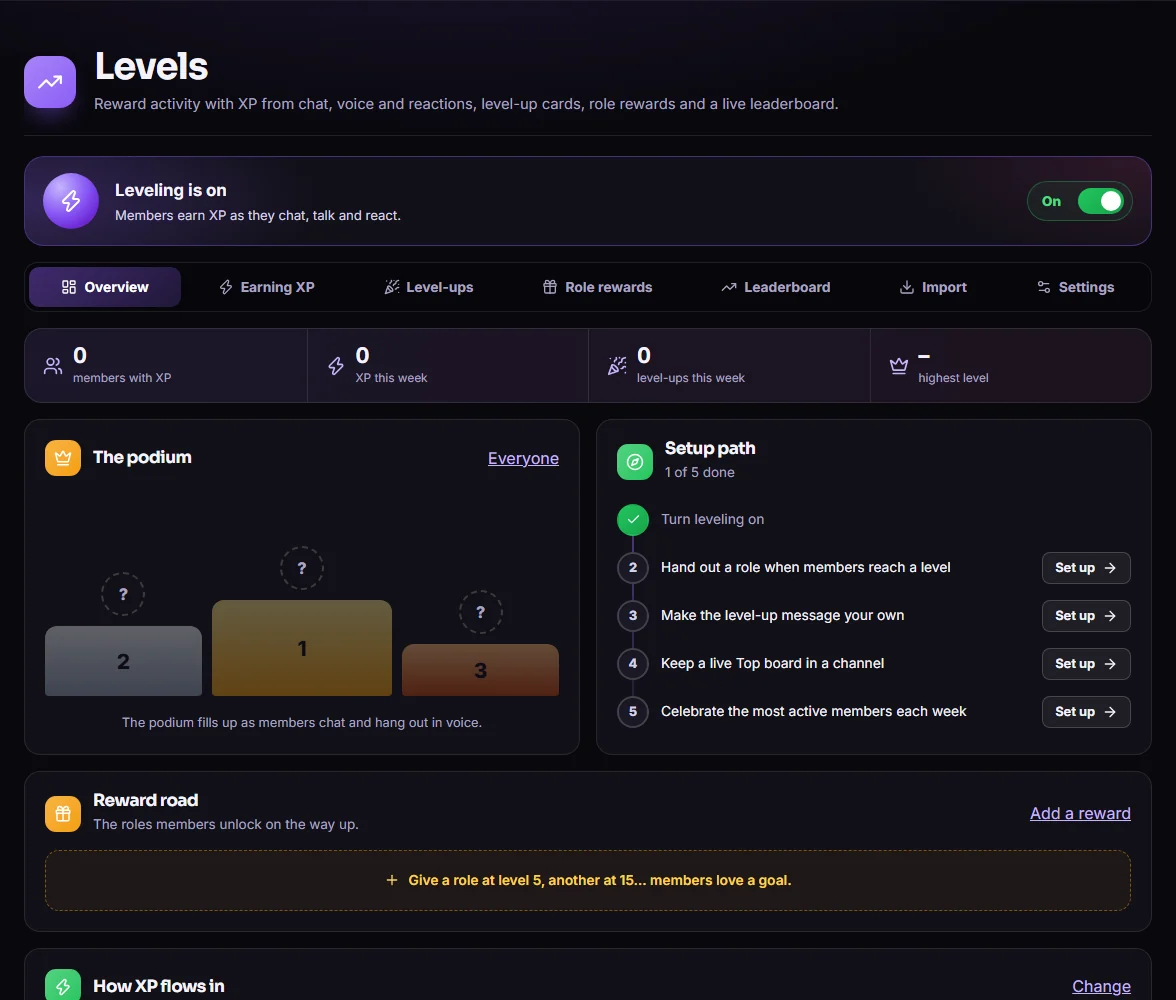
Members earn XP by chatting, spending time in voice and reacting. XP adds up to levels, levels hand out roles, and the most active members climb a leaderboard that keeps itself up to date. Everything is set up on the web dashboard: open Levels on your server, or run /levelconfig for a link.
Free and Pro #
XP from chat, voice and reactions, level-up cards, 10 role rewards, 3 XP boosts of each kind, a rank card, a live Top board, weekly and monthly highlights and a public leaderboard
Up to 50 role rewards with 10 roles each, 25 XP boosts of each kind, and hiding the vote button
Setting it up #
Turn it on
Flip the switch at the top of the Levels page and save. Members start earning XP right away.
Choose how XP is earned
In Earning XP, set the XP per message and the wait between messages, voice XP (paid every few minutes, with anti-AFK), reaction XP, the overall rate and the level formula. A chart shows how much XP each level takes.
Say where XP counts
Count XP everywhere, only in some channels, or everywhere except some. Threads, forum posts and voice channel chats each have their own switch. No-XP roles never earn anything.
Add role rewards
In Role rewards, pick a level and the roles it gives. Keep every reward, or only the latest one. Rewards come back when someone rejoins.
Design the level-up message
In Level-ups, choose where level-ups are announced (the same channel, one channel, DMs or nowhere), how often, and design the message and its picture card. Send a test posts one with you.
Show it off
In Leaderboard, design the /rank card and the leaderboard picture, pin a live Top board in a channel, turn on weekly or monthly highlights (each with its own channel and winner role) and share the public leaderboard page.
Earning XP #
| Way | How it works |
|---|---|
| Messages | A random amount between your least and most XP, then nothing until the wait passes. Very short messages can be left out. |
| Voice | Paid every few minutes to members with enough other people in the channel. Muted, deafened and AFK members can be skipped. Anti-AFK pays less in very long sessions. |
| Reactions | XP for reacting to messages, with its own wait. |
| XP rate | Multiplies all XP. Role and channel boosts multiply on top. |
| Voting | Members who vote for Ethvex on top.gg earn 20% more XP for 24 hours. The level-up message and /rank show a vote button (Pro servers can hide it). |
Leaderboard and cards #
The rank card and the level-up card are designed in the card designer: move anything, change fonts and colours, or put back a deleted part from Level parts. A progress bar shows how close a member is to the next level.
The leaderboard picture is used for the live Top board, /leaderboard and the highlights. Pick a theme or open the editor to change fonts, sizes, colours and the background, and hide any part. Names and XP always show, in any alphabet: fancy letters, Chinese, Japanese, Korean, Arabic, Hindi and more.
The live Top board can be sent inside a container with a colour bar (any colour, none, or a surprise colour each time) or as just the picture. Choose whether it shows when it was updated, and how often it updates: from every 10 minutes to once a day. Ethvex only edits it when the Top list or the design changed.
{user}Mentions the member
{display_name}Their name in the server
{level}The level they reached
{old_level}The level they had before
{rank}Their place on the leaderboard
{xp}Their XP in all
{level_xp} / {level_need}XP into this level, and what it takes
{progress}How far to the next level, 0 to 100
{reward}The roles this level gave
Moving from another bot #
In Import, bring levels over from MEE6 (make its leaderboard public first), from a CSV or JSON file any bot can export, or add members by hand with a level and extra XP. Check shows how it will look before anything changes. You can keep their levels or their XP, and choose what happens to members who already have XP here.
All commands #
/rank [user]EveryoneShows a rank card: level, rank and progress to the next level.
/leaderboard [period]EveryoneThe top 10 of all time, this month or this week, as the leaderboard picture.
/xp give|take|set|level|reset <user>AdministratorChanges a member’s XP. Their reward roles follow.
/levelconfigAdministratorOpens the Levels page of the web dashboard.
Nothing is deleted. Free servers use the first 10 role rewards (3 roles each) and the first 3 boosts of each kind, and the vote button shows again. Everything returns as soon as Pro is back.
Examples #
/rank/leaderboard period:This week/xp give user:@Mira amount:500Questions about Levels
Is there a free leveling bot for Discord?
Yes. Ethvex Levels is free with chat, voice and reaction XP, level up cards, 10 role rewards, a rank card and a public leaderboard.
Can I move my MEE6 levels?
Yes. The Import tab copies everyone's level and XP from MEE6, or from a CSV or JSON file.